Backtesting in Python: A Step-by-Step Tutorial with Real Market Data
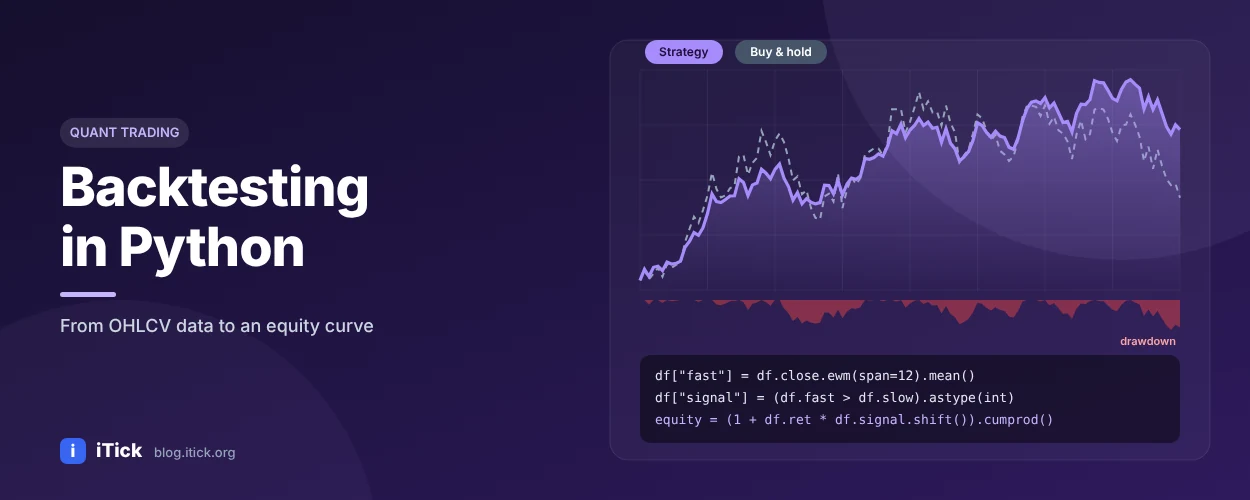
Backtesting in Python: A Step-by-Step Tutorial with Real Market Data
Backtesting means simulating a trading strategy on historical data to see how it would have performed. It is the cheapest way to discover that an idea doesn't work - before real money finds out for you. In this tutorial you will build a complete, honest backtest in Python using pandas and real OHLCV data from the iTick API.
What you need
- Python 3.9+ with
pandas,numpyandrequests - A free iTick API key for historical data
- About 20 minutes
pip install pandas numpy requests
Step 1: Download historical OHLCV data
      import requests
import numpy as np
import pandas as pd

TOKEN = "YOUR_API_TOKEN"
HEADERS = {"accept": "application/json", "token": TOKEN}

def load_bars(asset, region, code, ktype=8, limit=1000):
    url = f"https://api.itick.org/{asset}/kline"
    params = {"region": region, "code": code, "kType": ktype, "limit": limit}
    rows = requests.get(url, params=params, headers=HEADERS, timeout=10).json()["data"]
    df = pd.DataFrame(rows).rename(columns={"t": "time", "o": "open", "h": "high",
                                            "l": "low", "c": "close", "v": "volume"})
    df["time"] = pd.to_datetime(df["time"], unit="ms", utc=True)
    return df.set_index("time").sort_index().astype(float)

df = load_bars("stock", "US", "SPY")
print(df.tail())
kType selects the bar interval (see the docs); daily bars are a good starting point. New to the format? Read What is OHLCV data?
Step 2: Define the strategy
We will test a classic EMA crossover: hold the asset while the 20 EMA is above the 50 EMA, stay in cash otherwise. (Background: What is EMA?)
      fast, slow = 20, 50
df["ema_fast"] = df["close"].ewm(span=fast, adjust=False).mean()
df["ema_slow"] = df["close"].ewm(span=slow, adjust=False).mean()

# Signal computed on today's close...
df["signal"] = (df["ema_fast"] > df["ema_slow"]).astype(int)
# ...but we can only trade on the NEXT bar -> shift to avoid look-ahead bias
df["position"] = df["signal"].shift(1).fillna(0)
The shift(1) is the most important line in this tutorial. Without it, the backtest "knows" today's close before trading at it - a classic look-ahead bias that makes almost any strategy look brilliant.
Step 3: Calculate returns, including costs
      fee = 0.0005  # 5 bps per trade side - adjust for your broker and market

df["ret"] = df["close"].pct_change().fillna(0)
df["trades"] = df["position"].diff().abs().fillna(0)
df["strategy_ret"] = df["position"] * df["ret"] - df["trades"] * fee

df["equity"] = (1 + df["strategy_ret"]).cumprod()
df["buy_hold"] = (1 + df["ret"]).cumprod()
Step 4: Measure performance
      def stats(returns, periods_per_year=252):
    equity = (1 + returns).cumprod()
    years = len(returns) / periods_per_year
    cagr = equity.iloc[-1] ** (1 / years) - 1
    vol = returns.std() * np.sqrt(periods_per_year)
    sharpe = returns.mean() / returns.std() * np.sqrt(periods_per_year) if returns.std() else 0
    drawdown = equity / equity.cummax() - 1
    return {"CAGR": f"{cagr:.2%}", "Volatility": f"{vol:.2%}",
            "Sharpe": round(sharpe, 2), "Max drawdown": f"{drawdown.min():.2%}"}

print("Strategy:", stats(df["strategy_ret"]))
print("Buy & hold:", stats(df["ret"]))
print("Number of trades:", int(df["trades"].sum()))
| Metric | What it tells you |
|---|---|
| CAGR | Compound annual growth rate |
| Volatility | Annualised standard deviation of returns |
| Sharpe ratio | Return per unit of risk (risk-free rate ignored here) |
| Max drawdown | Worst peak-to-trough loss - can you live through it? |
Use periods_per_year=252 for daily stock bars, about 365 for crypto, and scale accordingly for intraday bars.
Step 5: Test on other markets
Because iTick uses one schema for every asset class, the same backtest runs on forex, gold or Bitcoin by changing one line:
      eurusd = load_bars("forex", "GB", "EURUSD")
btc = load_bars("crypto", "BA", "BTCUSDT")
Common backtesting mistakes
- Look-ahead bias - using information not available at decision time. Always shift signals.
- Ignoring costs - commissions, spread and slippage can turn a winner into a loser.
- Overfitting - testing hundreds of parameter combinations and keeping the best. Hold out an out-of-sample period.
- Survivorship bias - testing only stocks that still exist today.
- Too little data - a strategy tested on one bull market hasn't been tested.
From backtest to live trading
Once a strategy survives out-of-sample testing, connect it to live prices. Use the iTick WebSocket feed for real-time quotes and ticks, keep computing your indicators incrementally, and paper-trade before going live.
FAQ
What is the best Python library for backtesting? For learning, plain pandas (as above) shows exactly what happens. For larger projects, frameworks such as Backtrader, vectorbt or Zipline-style engines add order simulation and reporting.
How much historical data do I need? Enough to cover different market regimes - typically several years of daily data, more trades rather than more years for intraday systems.
Where can I get historical data for backtesting? The iTick historical data API provides OHLCV for stocks, forex, crypto, indices and futures, with a free plan to start.
Start testing your ideas
Get a free API key, download historical data in minutes and find out whether your strategy really works.